Metadata enrichment for picture libraries, museums and archives
Your metadata, done properly.
Pictures, PDFs, spreadsheets, lists, anything with metadata in it. We tidy it, correct it and fill in what’s missing.
We work to the recognised standards, or to bespoke fields and terms set up for your collection.
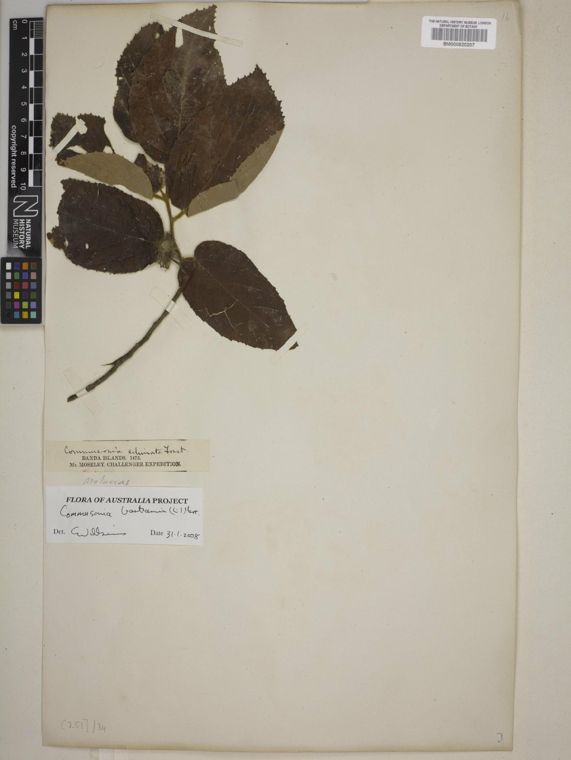
The museum’s record
- Place
- Australia
- Collector
- Moseley
- Name
- Commersonia bartramia (L.) Merr.
- Keywords
- none
What we add
- Place on the label
- Banda Islands, 1875
- Name on the label
- Commersonia echinata Forst.
- Collector
- Henry Nottidge Moseley, HMS Challenger expedition
- Keywords
- 15 added
- Note for the museum
- The record says Australia. The label says the Banda Islands.
More records, before and after
Real records from museum catalogues and from PDFs we were sent. Pick one.
A buyer asked for butterflies sorted by shade of blue. Twenty specimens, Yale Peabody Museum
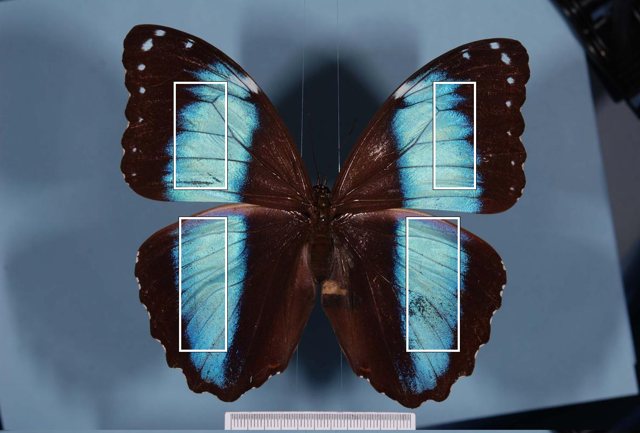
Morpho achilles, YPM ENT 416952. The four boxes are where the blue was measured. (Photo: Yale Peabody Museum, CC0)
Before
- Name
- Morpho achilles (Linnaeus, 1758)
- Catalogue number
- YPM ENT 416952
- Colour
- no such field
After: a field made for this buyer
- Measured blue
- #6AACAD
- Colour name, ISCC-NBS
- Light bluish green
- Werner’s Nomenclature of Colours, 1821
- Greyish Blue, number 34
- How
- Measured from the museum’s photograph after balancing it against the colour chart in the frame
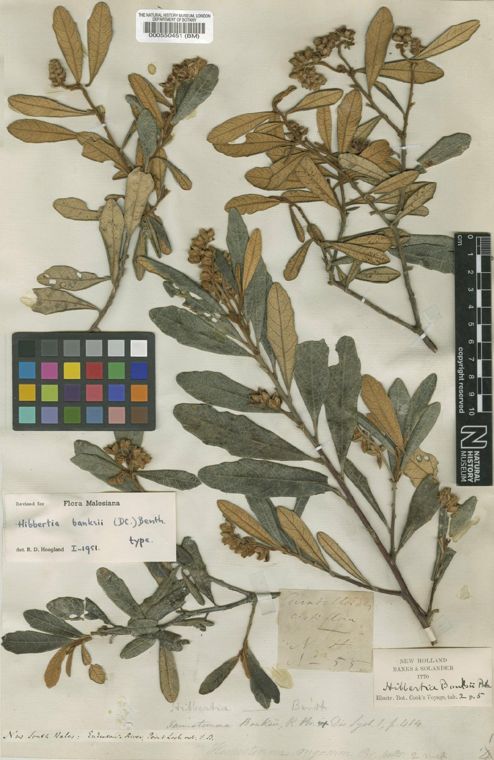
Hibbertia banksii, collected on Cook’s first voyage, 1770 (Photo: Natural History Museum, London, CC BY 4.0)
Before
- Scientific name
- Hibbertia banksii (R.Br. ex DC.) Benth.
- Place
- Australia, Queensland
- Collected by
- Sir Joseph Banks, Daniel Solander
- Keywords
- none
After
- Voyage
- Cook’s first voyage, HMS Endeavour, 1770
- Caption
- Dried plant specimen of Hibbertia banksii collected by Banks and Solander in Queensland in 1770, identified by Hoogland.
- Status
- Type specimen: one of the reference specimens for the species name
- Note for the museum
- A handwritten note on the sheet gives Endeavour’s River, New South Wales. The record gives Queensland.
The October 2024 issue of a museum’s staff newsletter, one of 43 PDFs
Before
- What came in
- A 14-page PDF. Five stories, five grants, a policy note and a list of 83 papers published the month before.
- Catalogue record
- none
After
- Story
- Dinosaur dentition
- The paper it describes
- doi 10.1038/s41467-024-51697-9, published 26 August 2024, licence CC BY 4.0
- Species named, matched to GBIF
- Iguanodon 4823052, Hypsilophodon 4823161, Hungarosaurus 4965708, Mochlodon 8739766
- The month’s list
- All 83 papers in the list matched to their published records
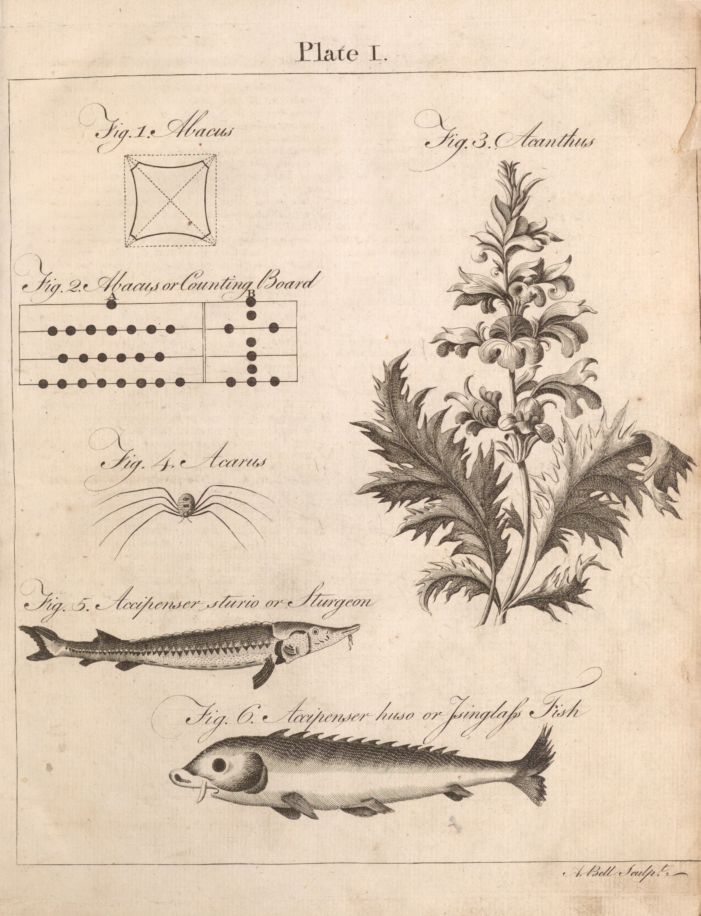
Plate I, Encyclopaedia Britannica, first edition, volume 1, Edinburgh 1771 (National Library of Scotland)
Before
- Text read from the page
- Plate I.
- Figures
- not described
After
- Figures, each cut out and named
- Abacus; Abacus or Counting Board; Acanthus; Acarus; Accipenser sturio or Sturgeon; Accipenser huso or Isinglass Fish
- Tied to their entries
- Abacus, page 2. Acanthus and Acarus, page 12. Accipenser, page 14.
- Matched to GBIF
- Acanthus 3173198, Acarus 1489076, sturgeon 2402203, Accipenser huso (now Huso huso, the beluga) 2402105
- Engraver
- A. Bell, signed at the foot of the plate
A real collection, counted
1,146 records from four UK museums
Specimens, photographs, objects and posters from the Natural History Museum, Royal Museums Greenwich, the V&A and the Science Museum Group, all from voyages and expeditions. Each bar shows how many of the 1,146 had the thing when they came in, and how many have it now.

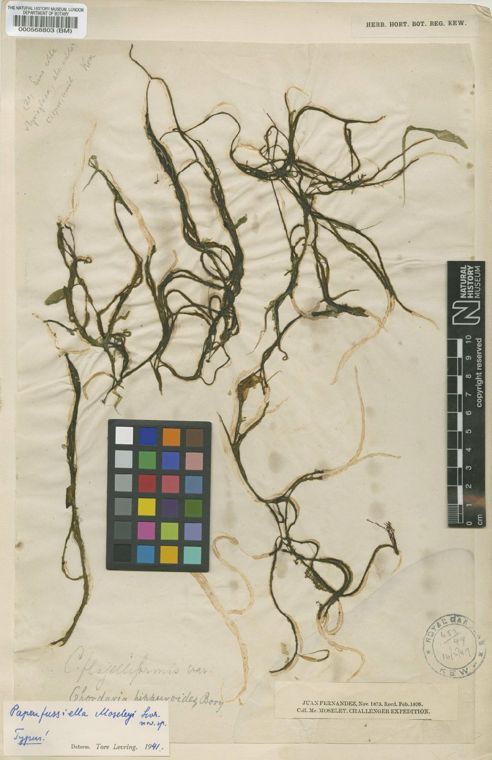
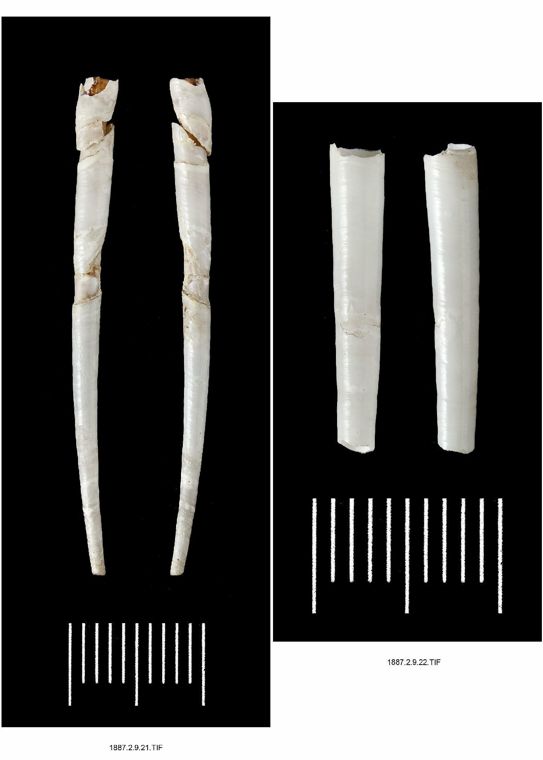
Linked to a voyage
722 → 1,146
The ship or expedition in a field of its own, so every record can be found by voyage.
Keywords
0 → 1,146
Words a buyer would search for, taken from the record and from the picture.
Rights
458 → 1,146
The licence for the record and for its picture, on every row. The 458 were the Natural History Museum’s image licence.
Notes for the museum
0 → 916
A note wherever the label, the picture and the record disagree. 1,837 notes in all.
Pictures: Natural History Museum, London, CC BY 4.0.
What you receive for every record
Three sets of columns in the same row, so anyone can see at a glance what came from you, what we added and what is waiting for a decision.
1
Your original record
Every field you sent, with your own field names, exactly as it arrived.
2
The enrichment
Caption, description, keywords, people, places, dates, subject terms and rights, each in its own column. Every keyword is marked with where it came from: the record, its title and description, or the picture.
3
Points for review
Every place where the item and the record disagree, or where a decision needs someone who knows the collection. The 1,146 voyage records produced 1,837 of these, across 916 records.
| 1. Your original record | 2. The enrichment | 3. For review | ||||
|---|---|---|---|---|---|---|
| country | recordedBy | scientificName | Voyage | Collector | Keywords | Note |
| Australia | Moseley | Commersonia bartramia (L.) Merr. | HMS Challenger expedition | Henry Nottidge Moseley | 15, from the record and the picture | Label says Banda Islands, 1875 |
PDFs, reports and old books
Some collections arrive as a folder of PDFs with nothing written about them at all. We read them page by page and pull out what is inside: the articles, the lists, the people and the papers they cite.
43 PDFs, no catalogue data
A museum’s staff newsletter, 2020 to 2024
We found 1,190 different research papers cited in it and matched each one to its published record. 406 of them have a story written about them in the newsletter. The other 784 only appear in the monthly lists, and those lists came out as rows too.
832 scans
Encyclopaedia Britannica, first edition, 1771
We corrected the machine reading of the opening pages against the scans, and cut the first plate of engravings into its six figures, each tied to the entry it illustrates.
Where the information comes from
Everything we add comes from one of these six places.
The picture itself
What is in the photograph, the specimen or the object: people, buildings, ships, clothing, colour.
Labels and inscriptions
Names printed under a print, a typed specimen label, a title on a mount, a stamp on the back.
The back of the item
On one item, an advert on the back dated 1874 showed that the record’s date of 1888 to 1889 was wrong.
Your own record
Anything already in your fields, including the ones that are hard to search, such as a long inscription field.
Standard lists
Subject terms matched to the Library of Congress, MeSH, the Getty vocabularies and GBIF, people and places to Wikidata and GeoNames, papers to Crossref and authors to ORCID, so a name means the same here as in other catalogues.
Your spreadsheet
A catalogue export with its own column names, mapped to one set of columns whatever system it came from.
What we do
Take all of it or only the parts you need.
- A survey of the whole collection before we start
- Box and series reports
- Dates written one way, so a computer can sort them
- One name for each place
- People’s names linked to standard name lists
- Subject terms checked against the standard lists
- Each picture or page read
- A description written for each picture
- Lists, articles and reports pulled out of PDFs
- Mistakes found and listed
- Duplicates matched up
- Titles tidied
- Measurements set out the same way
- Licences put on the record
- One set of columns for every source
- Sound and video described
- Bespoke fields and terms for your collection
- Alt text for screen readers
- Metadata written into the files
- Offensive language flagged for review
- Data sets prepared for AI buyers
The twelve standard fields
Your own wording stays as it is, with what we add beside it. Records go back as IPTC, Dublin Core or Darwin Core, or in the format your buyer asks for. If you use fields of your own, we fill those instead.
- Title
- Caption
- Description
- Keywords
- Date
- Place
- People
- Type
- Subject terms
- Rights
- Source
- Notes for you
Checking the work
Names, dates and places
A name, place, date or number only goes in if it is already in your record or written on the item.
Captions
Each picture is read twice, separately. The caption goes in when the two readings agree.
Checked by a person
A person looks at everything that was flagged and at a random sample. When we rechecked 12,000 of our own pictures, picked at random, against the source, every caption and keyword passed.
The work is done on our own machines in Bridgend.
Every keyword and description says where it came from: your record or the picture. A field we can’t fill stays empty. How a job works
Prices
Prices are per record, plus VAT. The first 1,000 records are free.
| Service | What it covers | Per record |
|---|---|---|
| Standard | Dates, places, names and rights written the same way throughout | 35p |
| Detailed | Each picture or page read, with a caption, description and keywords written, plus alt text, metadata in the files, offensive language review, data sets and exports for your collections system | 90p |
| Harder material | Handwriting, faded labels, other languages, records in pieces | £1.10 to £1.20 |
| Bespoke | Your own fields and terms, set up for your collection | Priced for the job |
About Paul Fearn
Piemags is run by Paul Fearn from Bridgend in South Wales. He followed his father through the Air Training Corps and into the RAF straight from school, and was given a camera for his eighteenth birthday in 1986. He has photographed aircraft ever since, holds a private pilot’s licence, and is the UK representative of Aviation PhotoCrew, the air-to-air team.
Alongside the aviation library he runs The Wartime Archive, the Railway History Archive and the County History Archive, which between them hold photographs, maps, books and documents gathered from archives around the world.
Terry Hope interviewed Paul for Professional Photo in November 2026: Pro Lives: The Ultimate High Flier. He has also been featured by Photo Archive News and IMAGO.
“Tidying the metadata is the big job.”
Questions
What is metadata enrichment?
It means adding to a catalogue record what the record leaves out. We read the picture, the label or the page, and fill in the caption, keywords, names, places, dates and rights, so the record can be searched and licensed.
Do you change our records?
Your own wording stays exactly as you sent it. What we add goes in its own columns beside it, and you decide what to keep.
Can you work from PDFs?
Yes. Send the PDFs as they are. We pull out the articles, lists, reports, people and references inside them and turn them into records.
What do you need from us?
The export from your collections system, in whatever form it comes out, and the images, scans or PDFs that go with it.
How long does it take?
Three to four weeks for 100,000 records, checking included.
What formats do you send back?
IPTC, Dublin Core or Darwin Core, as a spreadsheet and a data file, or in the format your buyer asks for.
How do we try it?
Send us up to 1,000 records. We do them free, with the notes, and you judge the work on your own material.
Send us 1,000 records
We do them free. Email Paul with a line or two about the collection.